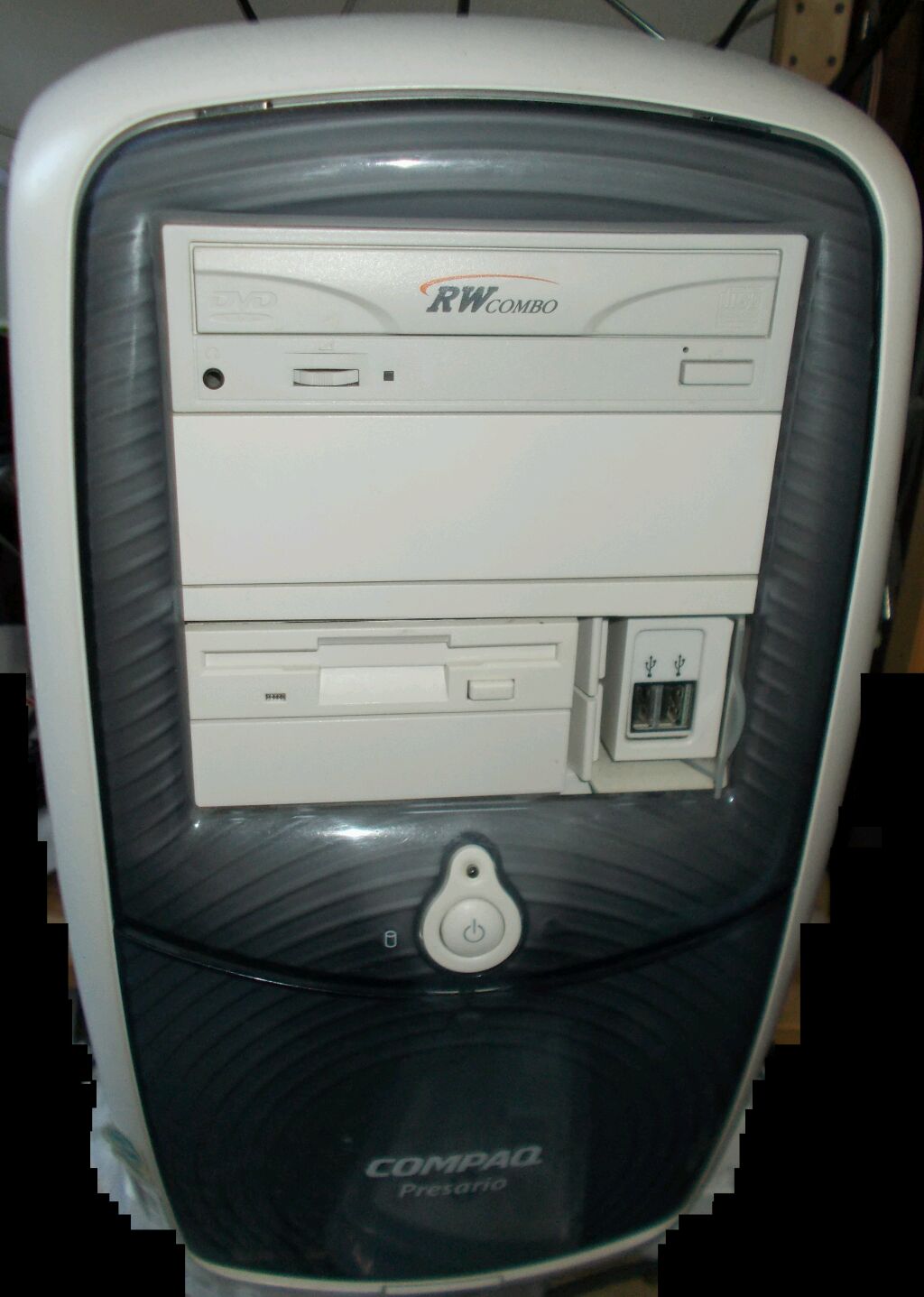
Techical specs:
| Manufacturer: |
Compaq Computer Corporation |
| Model: |
Presario 5112 EA |
| Processor: |
Intel Celeron 850mhz |
| Memory: |
256mb PC133 |
| Hard drives: |
80gb WD ide. 160gb Samsung Spinpoint sata (adapter) |
| Other drives: |
3.5" floppy, DVD+CD-RW combo |
| Video: |
Nvidia TNT Vanta PCI 16mb |
| Sound: |
Sound Blaster Live! 1024 Value |
| Network: |
Realtek PCI network adapter |
| Operating system |
Microsoft Windows Codename Whistler Build 2267 |
Operating system:
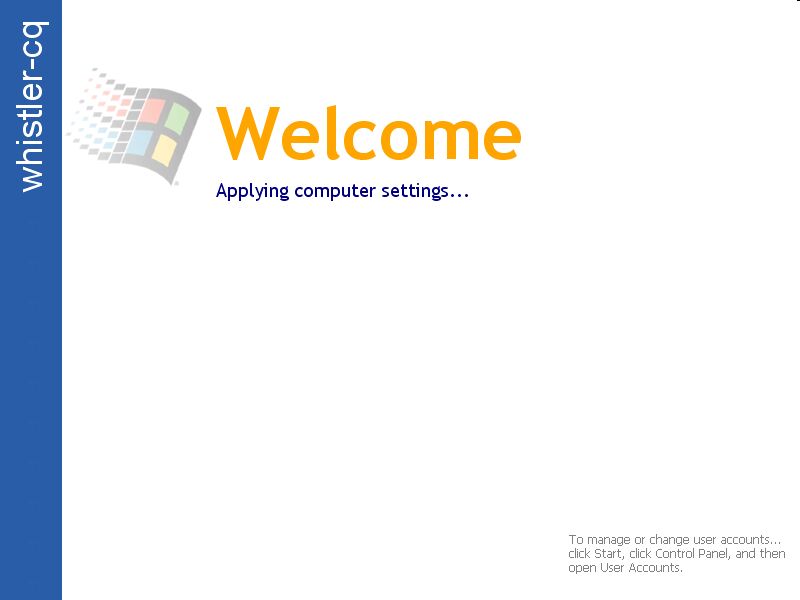
|
Picture from Whistler startup.
It is bit different than in XP
but works same way |
Most likely many people first question is what is Windows Codename Whistler.
Whistler was codename for Windows XP during it development. I took off
from Neptune and Odyssey projects. For me interest for that build in specific
is because of it watercolor theme. It is interesting middle step between
Windows 9x grey theme and XP Luna theme
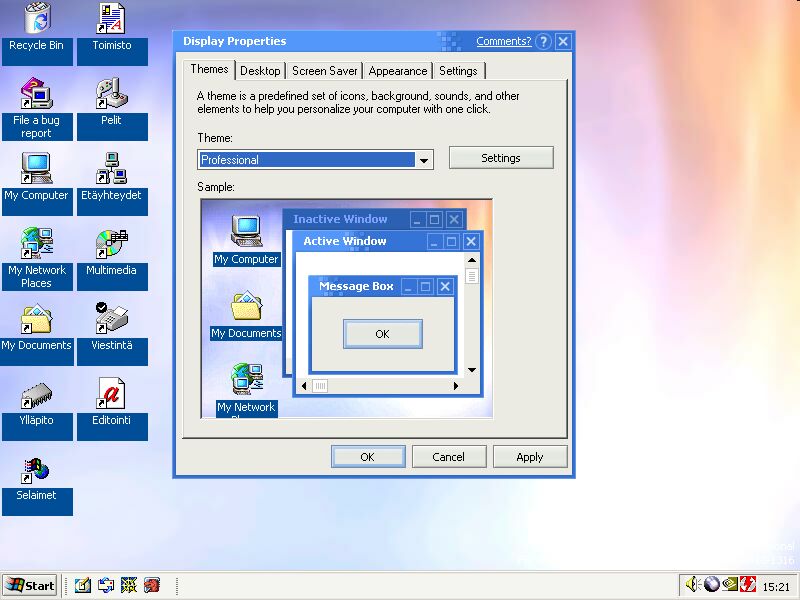 |
|
You dont see this theme elsewhere
|
|
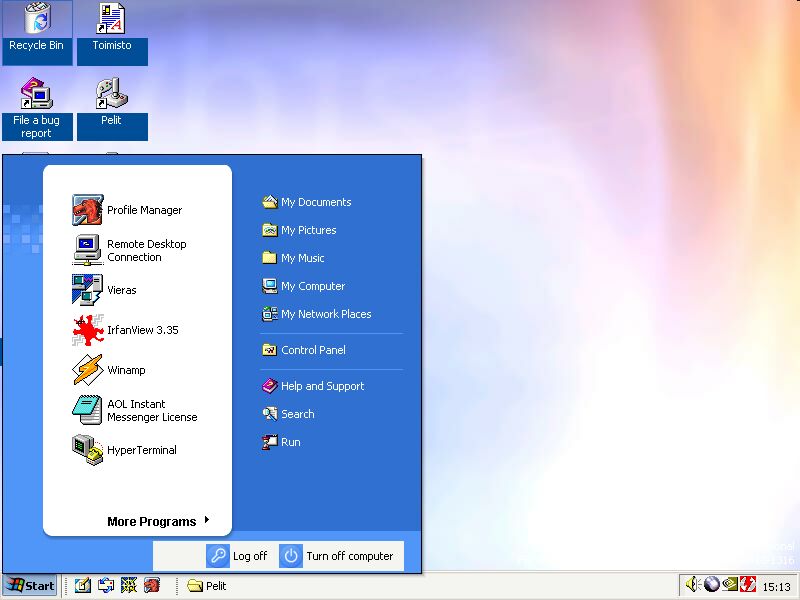
Personal start menu is pretty close to
one in Windows XP |
Windows Whistler 2267 is user interface wise mix of Windows 2000 and XP.
Some XP features had already been added but part of interface still worked
same way as Windows 2000. Personal start menu is interesting for it colors.
Because it is beta many features are still broken. If you want try install
Whistler into real hardware I recommend to use gpu and others parts that
were supported in Windows 2000 RTM. For example i440BX/i810 or VIA Apollo
MVP4 chipset motherboard, Geforce TNT/TNT2/Vanta or Ati Rage 128/Radeon
7000 videocard, Sound Blaster 16/128/Live! (original) or ESS Solo1/ESS
Allegro. Because third party drivers may not work in Whistler hardware
listed above is best bet.
Running programs on Whistler
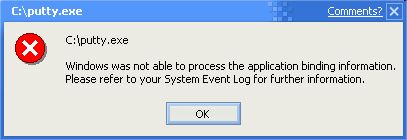
When you try programs on Whistler most likely first thing you encounter
is following error:
"Windows was not able to process the application binding information.
Please refer to your System Event Log for further information" error
may cause confusion, but reason is simple. Almost every executable contains
manifest. This format is different on Windows Whistler than on XP and because
of it many programs released after XP release cause error above. Luckily
fix is easy, all you need to do is create new manifest file for program
and it can do following way, open notepad and paste following:
<assembly manifestversion="1.0">
<dependency assemblyname="comctl32" version="6.0.0.0" />
</assembly> |
save file as <program name>.exe.manifest into same folder where program
is. For example if program name retrozilla.exe paste file as retrozilla.exe.manifest.
This will override program internal manifest. If you are unable to create
file I attached example file into downloads below which you just have to
rename.
|
|
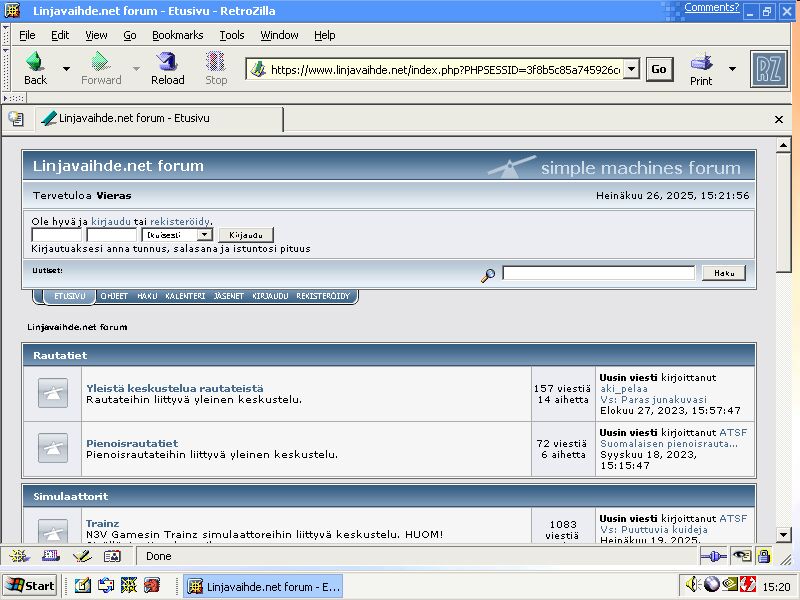
RetroZilla in Whistler
|
Following programs I tested working: Retrozilla 2.3 (https://rn10950.github.io/RetroZillaWeb/
or if your browser does not support modern SSL encryption: http://o.rthost.win/gpc/files1.rt/retrozilla-suite-tls13-20240526.7z).
Program requires modification into components folder GKGFXWIN.DLL file,
file need have have mention about UXTHEME.DLL removed, else it crashes
with watercolor theme enabled. If that operation sounds too hard I attached
already modified file into this article.
|
|
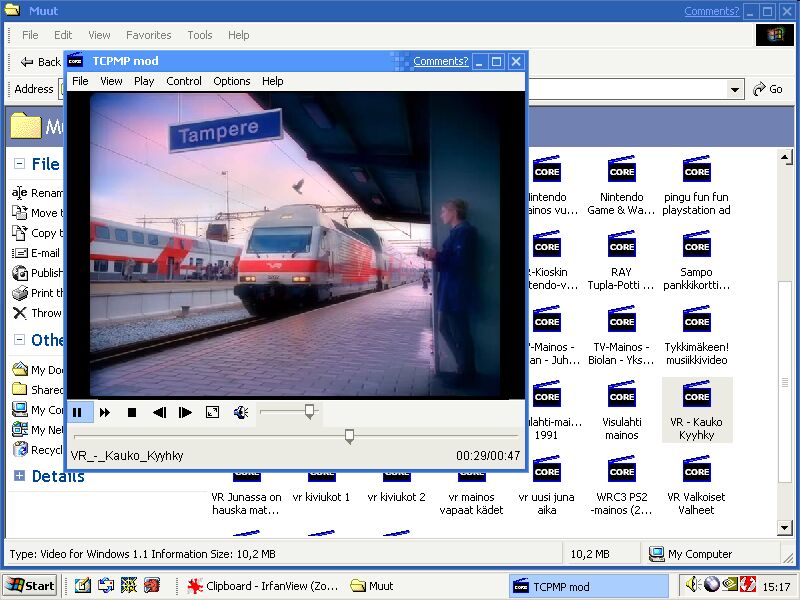
TCPMP in Windows Whistler
|
TCPMP media player works just fine as long as you add manifest file
into folder. Because finding right version of program and performing operation
can be hard for those who never played Windows betas I attached copy of
program into end end of this article. Pidgin 2.6.6 works fine as long as
you add manifest file and use GTK 2.6.10 runtime meant for Windows 9x
Downloads
These files makes use of Whistler easier:
|
| © 2025 Nokiamies.All rights reserved. Copying, modifying,
or republishing images, text, and all other material is without authors
permission is strictly prohibited.
Nokiamies.net is non-commercial hobby site and has no
relation to Nokia corporation or entities. Nokia logo, Nokia brand and
all brands and product names are (registered) trademarks of their respective
owners.
All guides on this site come without any warranty or liability.
Any files offered to download from this site are downloaded at your own
risk. Nokiamies.net is not responsible for any damage the software, downloads,
or guides may cause. |